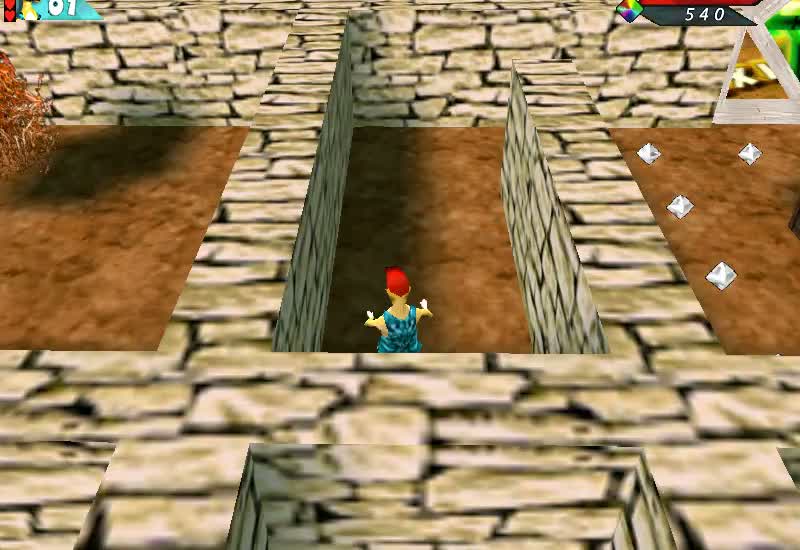
About the original game
Hamsterball puts a hamster inside a rolling ball and sends it racing along elevated courses. Steering, momentum and careful turns matter as much as speed: a rushed corner can send the ball off the track. This project concerns the original Raptisoft Windows game, rather than the later console game with the same name.
Edition: Original Windows PC game
Original creators: Raptisoft Games
Status
The original demo runs in your browser: menus, 3D races, finishing a course and saved scores work. Sound plays during races. We are still checking the other demo courses.
Only Raptisoft’s free demo is supported, with the demo’s own limits. Rights questions or removal requests: use the Rights link in the footer.
How to play
- Arrow keys roll the hamster ball.
- Esc pauses, Enter selects and the mouse works the menus.
- The bar above the game has Menu (which sends Esc), Sound, Quit and Fullscreen.
The free demo has Time Trials, a 3D Warm-Up Race with a running timer, High Scores and Options for sound volume, music volume and mouse sensitivity. The original demo also shows its purchase prompt, and “No Thanks” carries on. We have played the Warm-Up Race to the finish. The other demo courses are still being checked.
Saving scores
High scores and options are saved in your browser on this device, not on our servers. To keep them, leave through the game’s own menus (use Previous until you reach Exit to desktop) instead of pressing Stop. Clearing this site’s data in your browser deletes them.
How it runs in your browser
The unchanged Windows demo runs through Berrry wine-assembly, an MIT-licensed project that translates it to WebAssembly. Its Direct3D graphics are drawn with WebGL, so your browser needs WebGL. If 3D graphics are unavailable, the page shows settings advice for your browser. The demo files and runtime come to about 12 MB on the first visit. We have tested it in Chromium and Brave, and other browsers are untested.
Credits
Hamsterball was published by Raptisoft Games, © 2004 Raptisoft, LLC. The demo’s readme credits design, art and sound effects to John Raptis, programming to Nick Raptis, physics to Paul Nettle and music to Peter Hajba. The browser runtime is Berrry (MIT).
Before you play
Can I play Hamsterball here now?
Yes. Open the play page; the free demo loads and starts by itself. Play uses your keyboard.
Does this need Plus?
No. Playing does not require Plus.
The game says 3D graphics are unavailable. What can I do?
Turn on hardware (graphics) acceleration in your browser’s settings and reload the page. Click the game once so it receives the keyboard, and check that the page is not muted.
Does Hamsterball save my progress?
High scores and options are saved in your browser on this device. See Saving scores above.
Where can I find the original PC game?
Raptisoft’s official Hamsterball page links to its Windows offering. That is a separate product from this browser project.
Original game information
Raptisoft’s official Hamsterball page ↗
Original game description and developer destination. This source describes the original game, rather than verification of our browser project.