Start with the forest courses
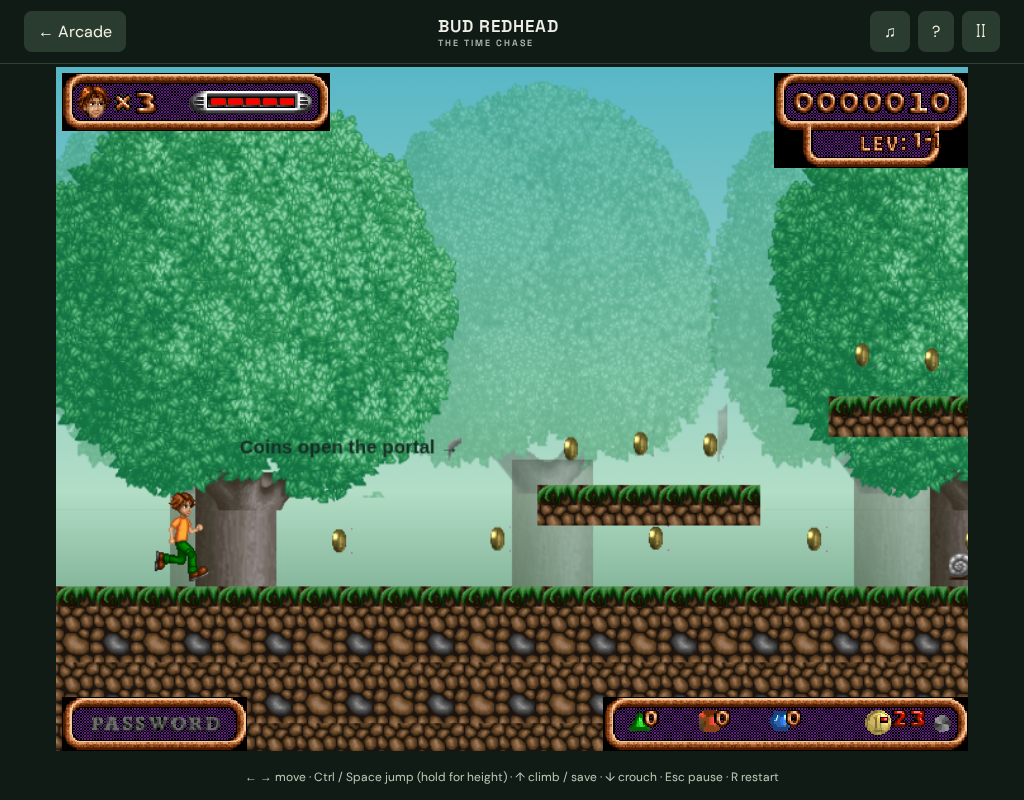
Choose Play Bud Redhead, then New Game to begin the first course. Each course ends at a time portal, and you need its required number of coins before you can finish.
The browser campaign uses original artwork and audio with reconstructed layouts. The original Egypt, castle and spaceship worlds are not included.
- Move with left/right arrows or A/D.
- Use Esc to pause and R to restart the current course.
- The original HUD identifies the courses as 1–1, 1–2 and 1–3.
Control the height of a jump
Ctrl, Space and J all jump. A quick press produces a shorter jump; holding the key gives Bud more height. Use shorter jumps where you need to land under a low ceiling, and held jumps where the ledge is higher.
Movement and jump can be held together. On touch screens, keep a movement button pressed while using JUMP. A mushroom bounce and a normal jump are different parts of the course; look at the landing space before committing.
Climb, descend and use checkpoints
Up or W climbs and activates a checkpoint when Bud is in range. Down or S crouches or descends. Touch players use the matching up and down buttons.
Checkpoints help within the active course after a lost life. They are not the same as a permanent checkpoint file that restores your exact position after closing the browser.
Meet the portal’s coin target
Collect the required coins before taking the portal. The second course requires 28 coins and the third requires 32. Optional ledges, ladders and moving platforms can lead to pickups you miss on the most direct path.
If the portal is not completing the course, check the coin count first. Missing the target calls for another look through the course, not repeated jumps at the portal.
Continue, Load Game and restart
Continue takes health, lives and score into the next course. Coins, the checkpoint and elapsed time reset for the new course.
Load Game starts the highest locally unlocked course afresh. It does not restore an exact in-course checkpoint. Best times are stored separately for each course.
R restarts the course you are playing. New Game starts course one. Unlocks belong to this browser and device; clearing browser storage can remove them.
Testing evidence and sources
Retained browser checks cover first-course gameplay, keyboard and touch controls, menus, pause, original audio and the progression interface in Chromium.
A complete campaign playthrough and exact Windows-game parity have not been established. Load Game starts the highest unlocked browser course afresh; it does not restore an exact checkpoint.
Recorded test scope and limitations ↗
Sources and what they support
- Space Ewe: original Bud Redhead product description
Original game worlds and edition description. Its purchase checkout and current availability have not been verified.
This page was reviewed against retained validation records. Review dates do not mean every game test was rerun that day. Screenshots show individual recorded scenes; they do not establish full campaign, device or native-game parity.
Take it into the game