Prepare the demo files
The tested demo requires ClawDemo.exe, CLAWDEMO.REZ and MSS32.DLL. Use the files from the installed or extracted demo folder, rather than selecting only the installer.
Keep the files together and preserve their names. The game executable and its matching resources belong to the same edition; substituting a retail archive is not a verified shortcut.
- ClawDemo.exe — the original demo executable.
- CLAWDEMO.REZ — the demo’s game resource archive.
- MSS32.DLL — the demo’s supporting audio library.
Import and launch the demo
Choose game files lets you select the required files together. Choose game folder imports a folder. The player stores the imported files locally and does not upload them.
- Open the Captain Claw browser player.
- Choose the extracted game folder, or select all three required files.
- Wait for the player’s status to confirm the import and enable Play.
- Press Play to start the original executable, then use its Single Player menu.
Keyboard and touch controls
The touch controls map arrows to movement, Ctrl to Attack, Alt to Fire and Space to Jump. Hold movement and an action together when you need to jump across a gap.
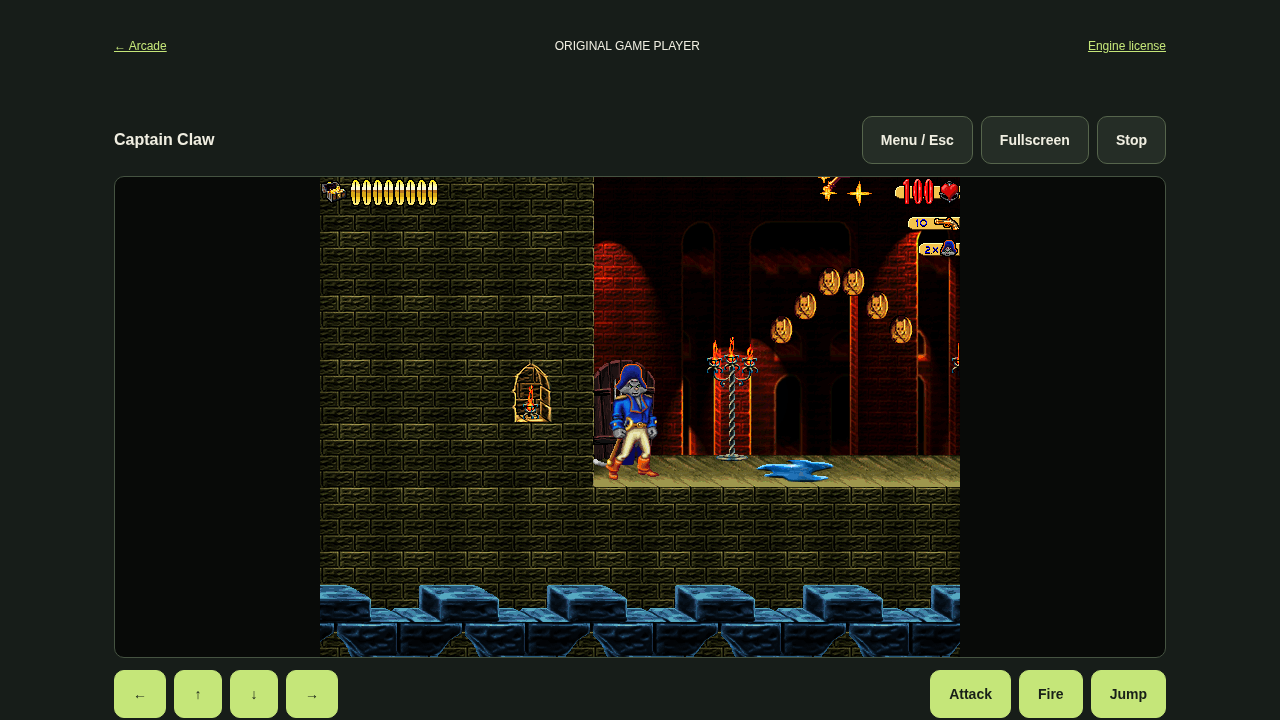
Menu / Esc opens the original menu, Fullscreen expands the player and Stop ends the running session. Landscape gives the original 640 × 480 game screen more room on a phone.
The player needs a browser that supports shared WebAssembly memory. The original demo’s La Roca menu-to-gameplay flow has been exercised in Chromium; physical-device behavior and complete campaign play have not been verified.
If Play is still disabled
Check that all required files were imported and that you chose the extracted contents rather than an installer. Compare the filenames with the list above.
If a file is missing, return to the original folder and import the matching set. Do not replace files from an unknown version just to bypass the status message. If the browser reports unsupported runtime features, try a browser/device that supports the player’s requirements.
First launch and recovery
After Play, wait for the original menu before choosing Single Player. A blank or partial frame can appear while the compatibility engine loads. The startup status is not proof that the game screen is ready.
If the game stops or appears stuck, use Stop, then Play. Reloading should restore imports in a regular browser profile. Read Diagnostics for the error before resetting imports.
For shared-memory errors, reopen the player from the arcade in a full browser window. For storage errors, enable local site storage; temporary or private profiles may need fresh imports. Keep the original folder outside the browser.
Keep a copy of your original files
Imports remain in this browser’s local storage. Clearing site data or choosing Remove saved files can remove them. Keep the original demo folder elsewhere so you can import it again.
The original executable determines its available levels. The tested route is the demo; complete retail compatibility, level completion and exact audio parity remain unverified. The separate retail CLAW.REZ engine is a different setup flow.
Testing evidence and sources
Retained Chromium checks cover the original demo menu, La Roca gameplay, keyboard and held touch movement, local imports, fullscreen and observed mixer audio.
Level completion, native checkpoint restoration, full retail compatibility, exact audio parity and physical-device behavior remain unverified. Game files are not supplied or uploaded by this player.
Recorded test scope and limitations ↗
Sources and what they support
- Berrry Wine compatibility-engine source
Upstream browser engine. Our packaged build is pinned to 24ffafcfe3fc08a27831c4e9e3a4f1c8892ae614; upstream support is not proof of our demo coverage.
This page was reviewed against retained validation records. Review dates do not mean every game test was rerun that day. Screenshots show individual recorded scenes; they do not establish full campaign, device or native-game parity.
Take it into the game