Clear the mine’s objective
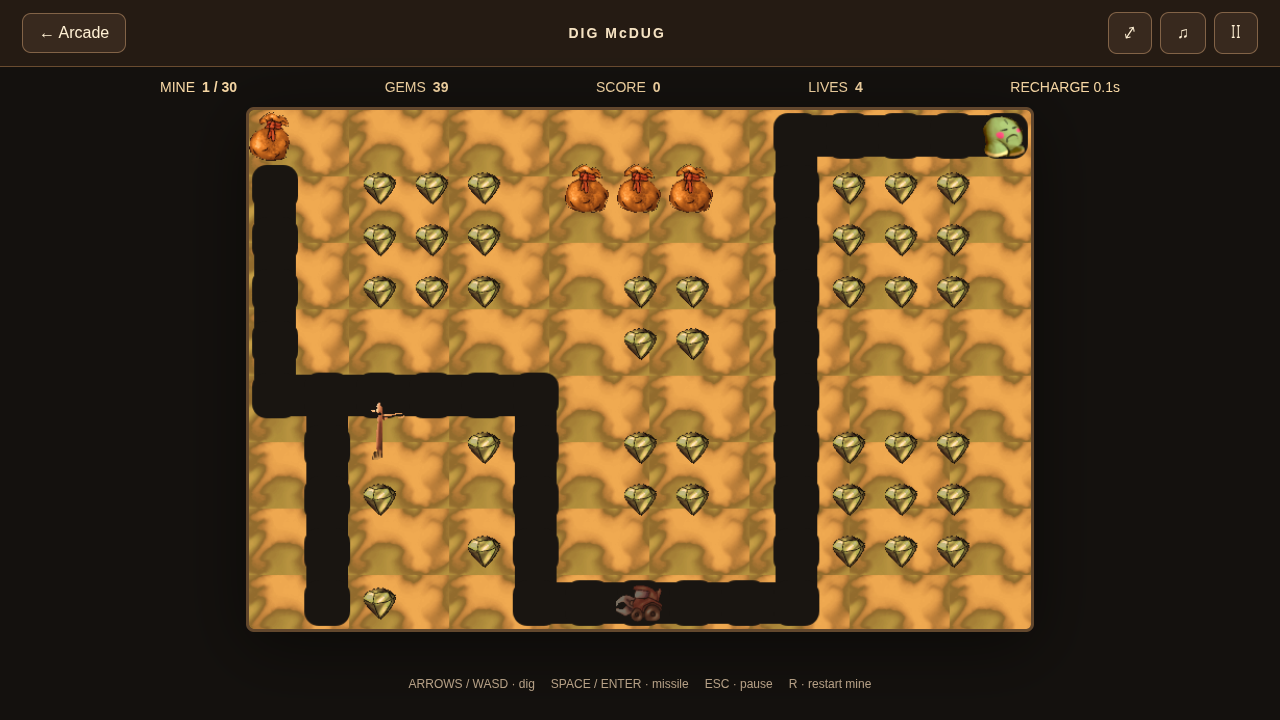
Open Dig McDug and choose Start digging. The browser edition includes 30 recovered mine layouts. Collect the emeralds or defeat all monsters before taking the cherry.
Dig McDug is a different game from Dig Dug. These instructions describe this arcade’s Dig McDug browser recreation and its recovered maps.
Dig and fire together
Move and dig with the arrows or WASD. Space or Enter fires. Esc pauses and R restarts. On touch devices, movement and FIRE can be held together.
Missiles need time to recharge. If you cannot fire again immediately, give the shot time rather than repeatedly tapping the control. Leave enough tunnel space to retreat while you wait.
Use falling gold sacks carefully
Sacks can crush monsters and your own digger. Digging beneath a sack changes its support, so decide where you will move before opening the space below it.
A sack that drops at least two cells breaks into collectible gold worth 500 points. A shorter drop and a longer drop have different outcomes: do not assume every falling sack becomes a pickup.
- Look above the next tunnel section for a gold sack.
- Identify a side route you can use to leave the drop column.
- Dig away its support and move clear.
- Collect broken gold only after the fall has finished.
Keep an escape route
A monster can turn an isolated tunnel into a trap. Avoid using all your movement space before lining up a shot or dropping a sack.
Angry monsters can dig, so an unopened wall is not always a safe barrier. Cherry power makes the digger faster and lets you eat monsters. Use that window to clear a route while still watching for falling sacks.
An extra life is earned every 20,000 points. The best route is not always the shortest route when a safer tunnel preserves your lives.
Return to unlocked mines
Completing mines unlocks later ones. Mine unlocks and best scores are saved locally; use the mine-selection menu to revisit an unlocked layout.
Music and effects start enabled after you begin playing. The sound button mutes or restores them. Browser timing and enemy behavior are independently tuned, so this edition is not certified to match every Windows frame.
Testing evidence and sources
Retained checks cover recovered maps, engine movement, first-mine browser play, settings, audio and touch layouts in Chromium. First-mine completion passed in an isolated rerun after full-suite timing failures.
Complete browser-campaign completion, native timing parity and physical-device compatibility remain unverified. An isolated pass does not establish reliable full-suite timing.
Recorded test scope and limitations ↗
Sources and what they support
- Creator’s discussion mentioning Dig McDug
Aleksey Vaneev’s historical co-creation statement, recorded in our research. Not a current rights grant or source-code release.
This page was reviewed against retained validation records. Review dates do not mean every game test was rerun that day. Screenshots show individual recorded scenes; they do not establish full campaign, device or native-game parity.
Take it into the game