Start a Classic trail
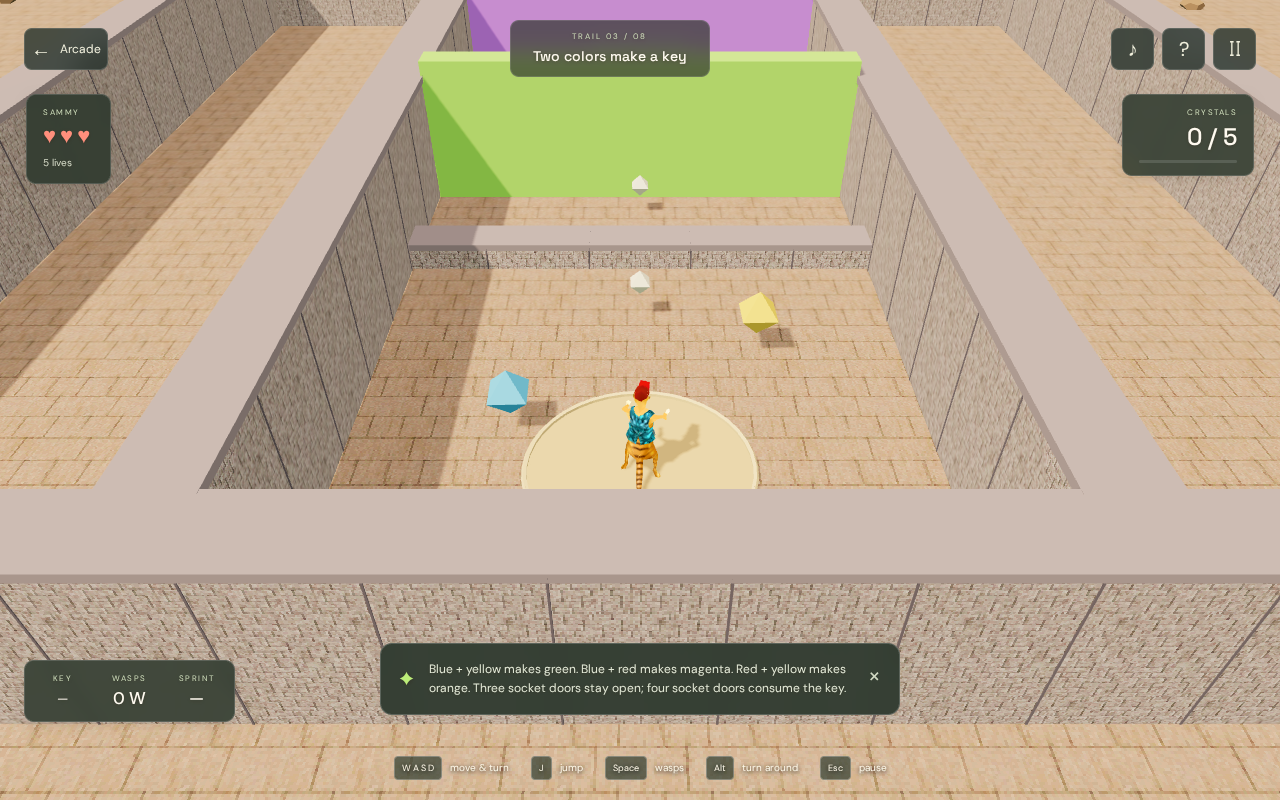
The Classic button opens Sammy’s game menu. Choose Tutorial levels to browse the eight recreated trails. After starting a trail, collect its gem target, solve the colored-key puzzles and find the exit.
These are reconstructed browser trails using recovered resources. Do not expect an original-game walkthrough to match every turn or jump.
- Open Sammy Classic from the game page.
- Choose Tutorial levels, then select a trail.
- Start moving with WASD or the arrow keys. Use the controls below when a puzzle calls for a jump, sprint or wasp.
Move, jump and turn
W and S, or the up and down arrows, move forward and backward. A and D, or the left and right arrows, turn Sammy. Direction keys turn the character rather than strafing sideways.
Press J or Ctrl to jump. Hold Shift while moving to spend sprint energy. Multiplayer starts charged; Classic needs a sprint pickup. The sprint meter explains when it is empty. Alt or Q turns Sammy around quickly. Space fires the current wasp type, so keep an eye on your ammunition.
- Touch: hold ▲ or ▼ to move and ◀ or ▶ to turn.
- Tap JUMP, WASP or TURN for the matching action. Hold RUN together with movement to sprint.
- Esc opens the pause/options flow. R restarts the current trail.
What Classic remembers
Completed trails and best times are stored locally, and the menu remembers the last played trail. This is not a cloud profile: another browser or another device has separate progress.
Use the sound control to mute or restore audio. Music and effects begin after a Play gesture; browser audio may remain quiet until you interact with the game.
Create a Multiplayer room
Multiplayer supports one to four players. Start solo; friends can join during play. Each player has their own camera, health and lives. Gems, keys, ammo, gates and checkpoints belong to the team.
Friendly keeps the usual trail targets and enemies. Challenge increases enemy health with the connected roster. It does not double the maps or gem totals.
- Open Sammy Multiplayer from the arcade.
- Choose a trail, Friendly or Challenge, and a room capacity of two, three or four.
- Create a private room, copy its invitation and share it with your friends.
- Press Start game to begin solo. Friends can open the invitation and press Join room during play.
Finish together and revive teammates
A pickup counts once for the team. Hearts heal the live player with the lowest health, while sprint pickups give each player a charge.
When a teammate runs out of lives, approach them and press E or REVIVE. If every connected player is out of lives, restart the trail. Complete the gem target and bring every connected player to the rainbow exit to win.
Any player can pause. The host resumes, restarts or advances a completed trail. A disconnected seat is reserved for two minutes; choosing Leave gives the slot up immediately. Multiplayer completion records are separate from Classic progress.
Testing evidence and sources
Retained checks cover normal-input completion of all eight recreated trails, keyboard and simultaneous touch controls, menus, pause and local progress in Chromium.
Full native-game comparison, actual Safari and physical phones have not been established. Firefox and Linux WebKit have scoped launch, gameplay, audio and control checks. Repeated reloads under software-rendered Chromium encountered graphics resource failures.
Recorded test scope and limitations ↗
Sources and what they support
- Suricate Software developer interview
Background on the original team and Acknex engine; does not validate this browser edition.
This page was reviewed against retained validation records. Review dates do not mean every game test was rerun that day. Screenshots show individual recorded scenes; they do not establish full campaign, device or native-game parity.
Take it into the game